



Posted by Jon Geddes
5:26 pm on August 20th, 2010

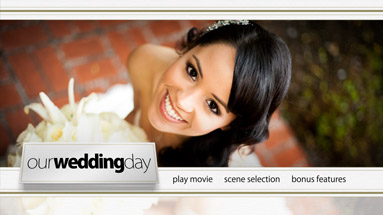
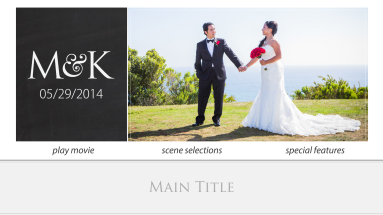
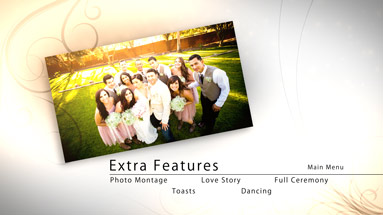
In just a few days we will be demonstrating our motion menu template products and full authoring services at the 20th Annual WEVA Expo in Orlando Florida.
We look forward to seeing many of you there, and we will even have some of our new Zip Kit products on display.
Our Zip Kit products are of course motion menu template kits, similar to our Pro Motion Menu Kits with the following differences:
- Comes with pre-rendered motion backgrounds, and will not require the use of After Effects
- Ready to import directly into Adobe Encore, without any preparation
- Sound FX will not be included
- Menu transitions will not be included
- “Zip” through the authoring process in just minutes
9 Comments »
Posted by Jon Geddes
10:42 am on August 1st, 2010
One year ago I relocated our offices from Southern California to Illinois to be closer with my wife’s family and enjoy a lower cost of living…
Well, one winter was enough and we are headed back to Cali for good.
Over the next week our office will be in transition, so we may be a little slower at customer support responses, though we will still have access to email. Our website will not be effected by this move.
For those of you using our authoring services, please remember not to send any projects to our old address.
7 Comments »
Posted by Jon Geddes
5:59 am on July 23rd, 2010

Earlier this month, David McKnight from EventDV.net, posted a nice tutorial on using our Pro Motion Menu Kits with Sony’s DVD Architect authoring software.
Link:
http://www.eventdv.net/Articles/ReadArticle.aspx?ArticleID=68124
Read the rest of this entry »
No Comments »
Posted by Jon Geddes
9:05 am on July 19th, 2010

We recently had a customer experience a very odd bug which only seems to be occurring on some Mac Snow Leopard configurations. This bug has nothing to do with our products, as it is an Encore bug effecting even those who don’t use our templates, but we thought we should mention it here in case any of our customers encounter it. We have also discovered a solution to the bug.
Read the rest of this entry »
No Comments »
Posted by Jon Geddes
9:17 am on July 9th, 2010
We just completed a lengthy bug-fix marathon on all our Pro Motion Menu Kits.
We’ve added some features to all of our kits that we implemented from the beginning with our most recent “Regal Cinema” kit.
The tedious changes took hours to implement on each kit, but should be helpful.
Here is a list of some of the updates we did:
- Added DVD / Bluray Easy-Cut Guides and made minor tweaks to Cover Template
- Added chapter titles into the After Effects project
- Fixed minor timing issues caused by drop-frame timecode of AE project
- Updated Composition Markers
So now, just like our Regal Cinema template, you will be able to integrate the chapter titles for the scene selection menu, as well as place images or video into the scene selection boxes of the After Effects project.
This is useful if you do not need multiple scene selection menus, and want the scene selection boxes to have video or images in them during the transitions. The titles for these boxes will also animate on during the transition. Again, this should only be used if you are using a single scene selection menu.
Please make sure you have the most updated versions of your Pro Motion Menu Kits, and do not use any files from the old kits after upgrading, as even the dynamic link project files have been updated. You can check your version by looking in the Version History text document provided with your kit.
Here is a current version list of all our available kits:
Butterfly Bliss: v2.1
Enchanted Waters: v2.1
Opening Night: v2.1
Swan Lake: v2.1
Regal Cinema: v1.4
Retro Fusion: v2.1
White Wedding: v2.1
To update your kit, please send an email to support@precomposed.com along with your Order ID, and we will reactivate your unique download link.
2 Comments »